 SticklerPå svenska
Proof from the thing itself
Done means proven.
Stickler keeps asking until you show it's done: scan the sticker on the pill box, tap the tag by the door or snap the stove. Then you have a receipt, and you stop wondering.
Download on the App Store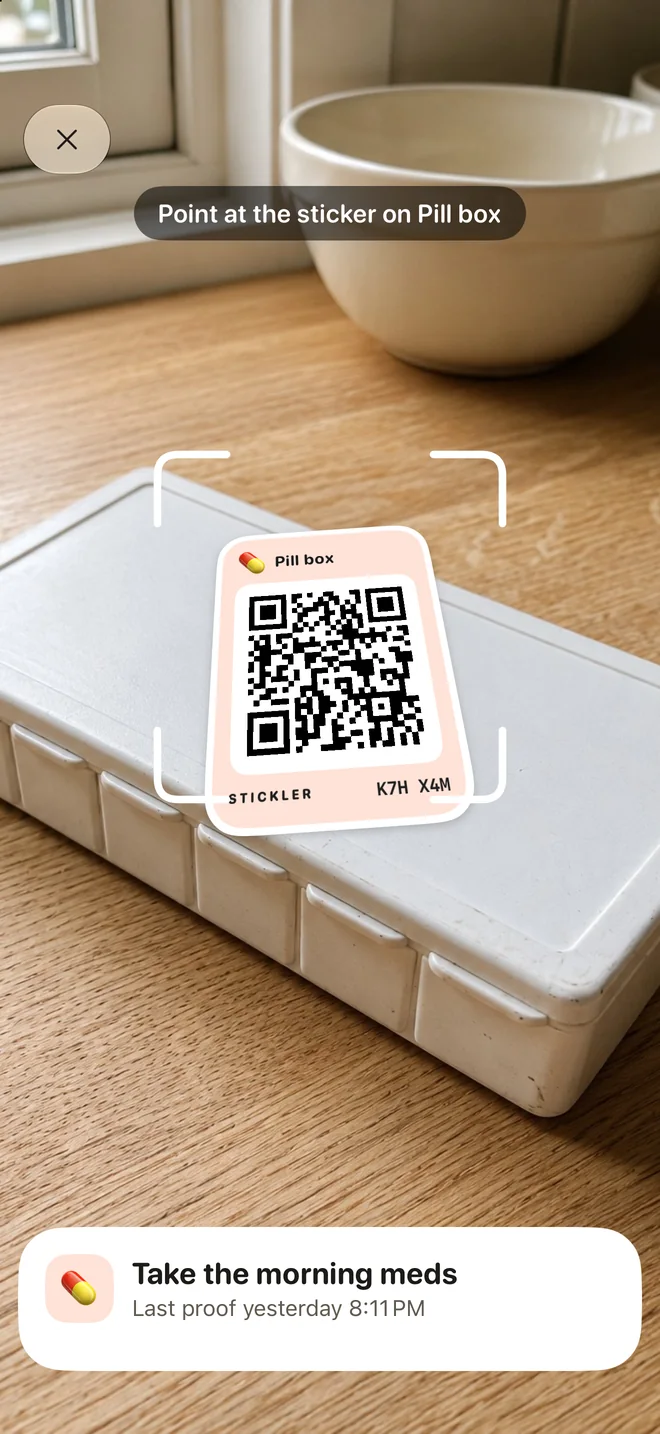
How it works
- 1
Put a sticker on the thing
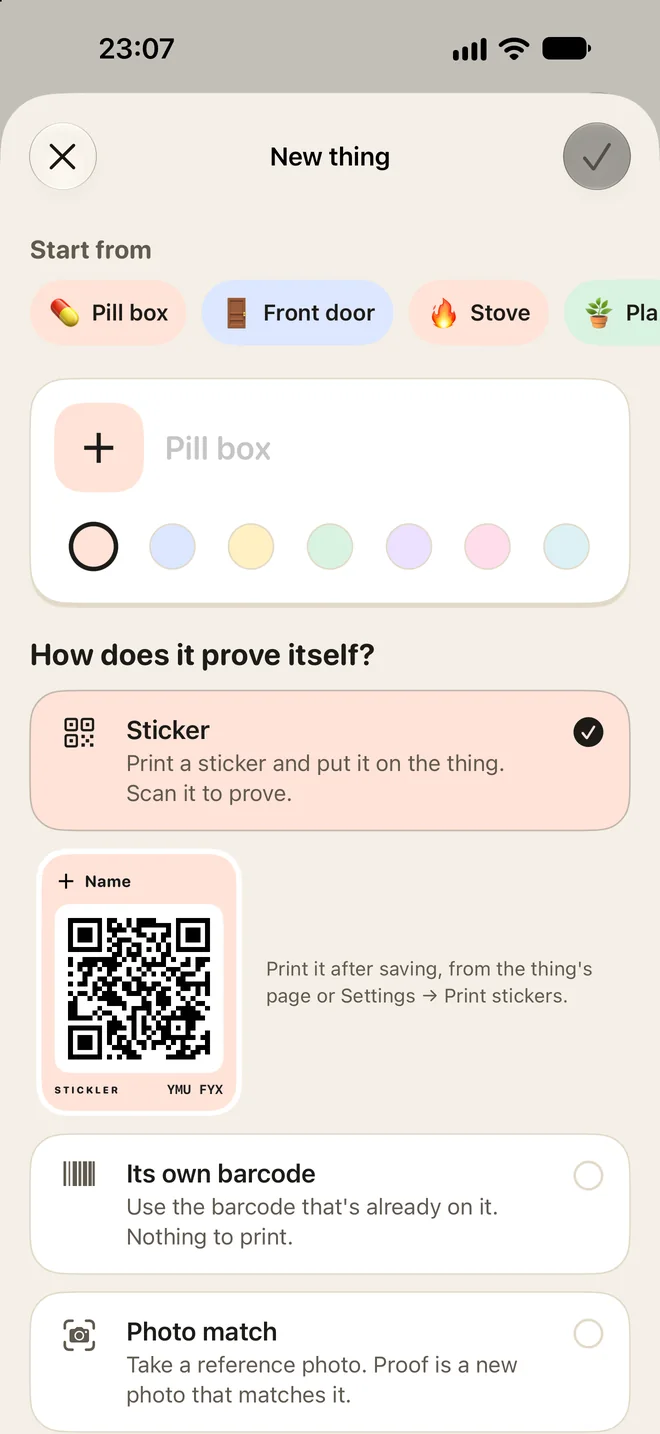
Print Stickler stickers from the app and put one on the pill box, the door or the dog bowl. Or use the barcode that's already on the package.
- 2
It asks until you scan
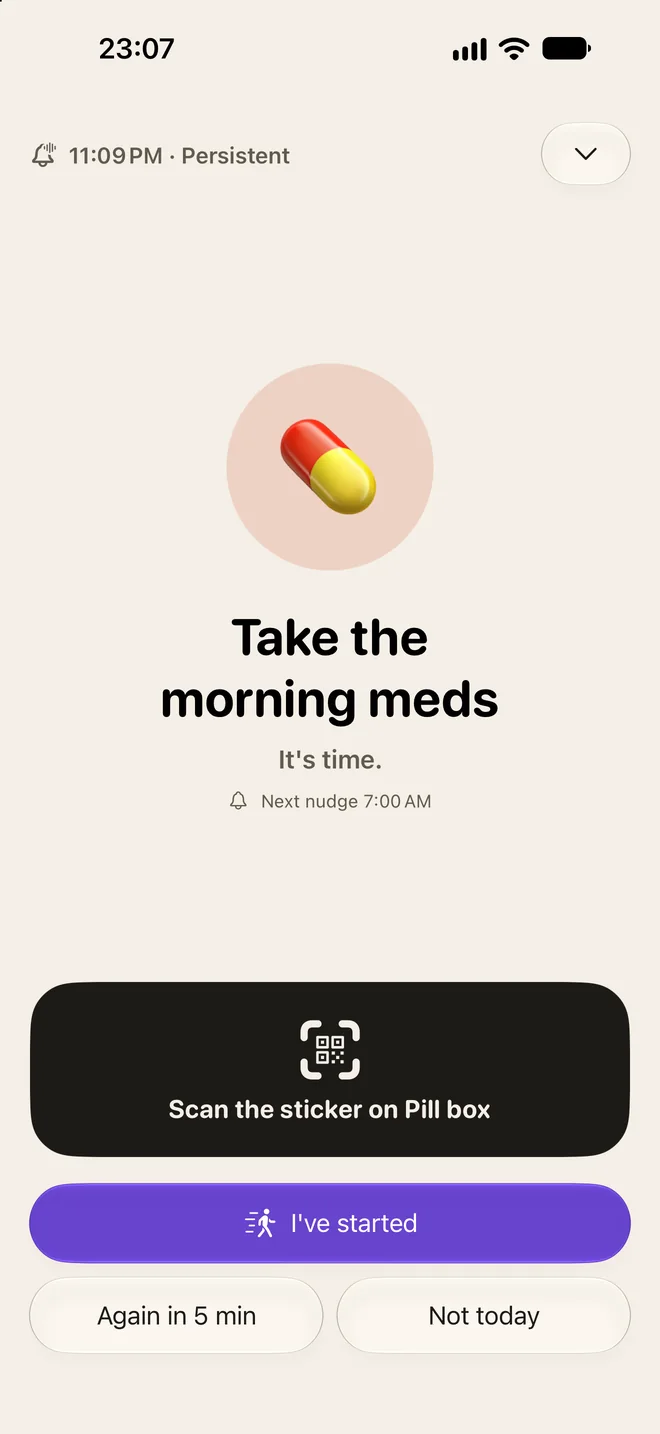
It keeps asking, more often and louder, until you scan the sticker. Swiping it away doesn't count.
- 3
You get a receipt
Every proof is saved with the exact time, method and photo. Next time you wonder, the answer is right there.
- Pill box
- Front door
- Stove
- Plant
- Dog bowl
It only stops when it's done
Notifications escalate and come through as Time Sensitive. When it really matters, a real alarm rings, even in silent mode. Stopping the alarm only snoozes. It ends when you prove it.
Scan it, tap it, or use the barcode
Every thing has a key. A Stickler sticker with a QR code and a 6-character code, the same code on an NFC tag you tap with your phone, or the barcode already on the medicine package. Print sticker sheets from the app as a PDF, on any printer.
When the sticker won't scan
Type the 6-character code, or hold to finish without proof. The receipt then says honestly that proof is missing. Turn on Strict and those ways out are gone.
Or prove it with a photo
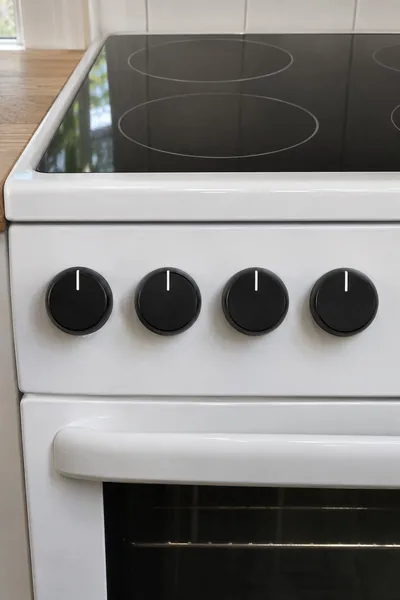
Nothing to stick on it? Take a reference photo of the stove turned off or the watered plant. Next time, the new photo is matched against it right on the phone with Apple's Vision. The photos never leave your iPhone.
 Reference
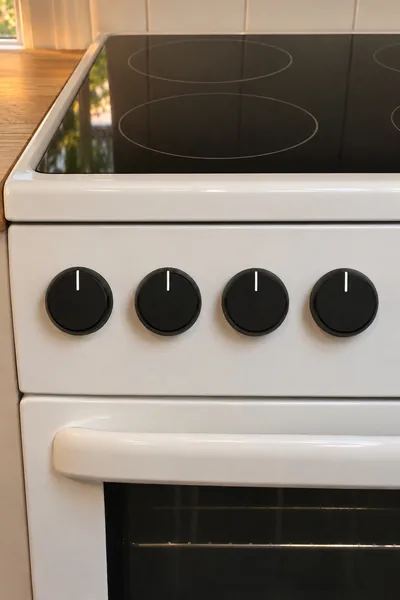 Now
✓ Match
Matched on the phone
No double doses
Scan the pill box again shortly after and Stickler speaks up: "Already proven", and shows when. Handy on the mornings you can't remember if you already did.
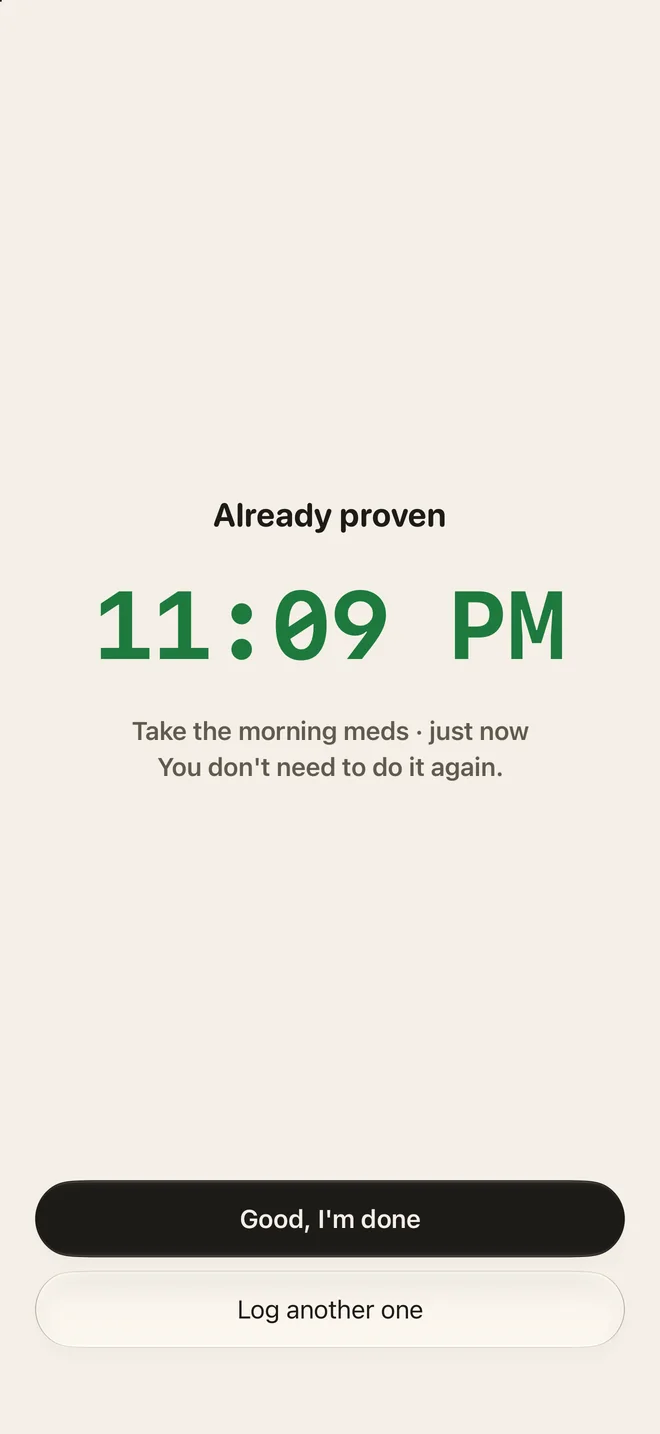
Did I?
Did I lock the door? Turn off the stove? Take my meds? The Did I? tab answers with the receipt: when, how and with which photo. The answer is also in a Lock Screen widget, and you can ask Siri: "Check front door in Stickler".
STICKLER · RECEIPT
Pill box
Morning meds
- Time
- 07:42:15
- Date
- Sat 4 Oct
- Method
- Sticker, QR
- Code
- K7M3XR
- Photo
- Yes
✓ PROVEN
Saved on this iPhone
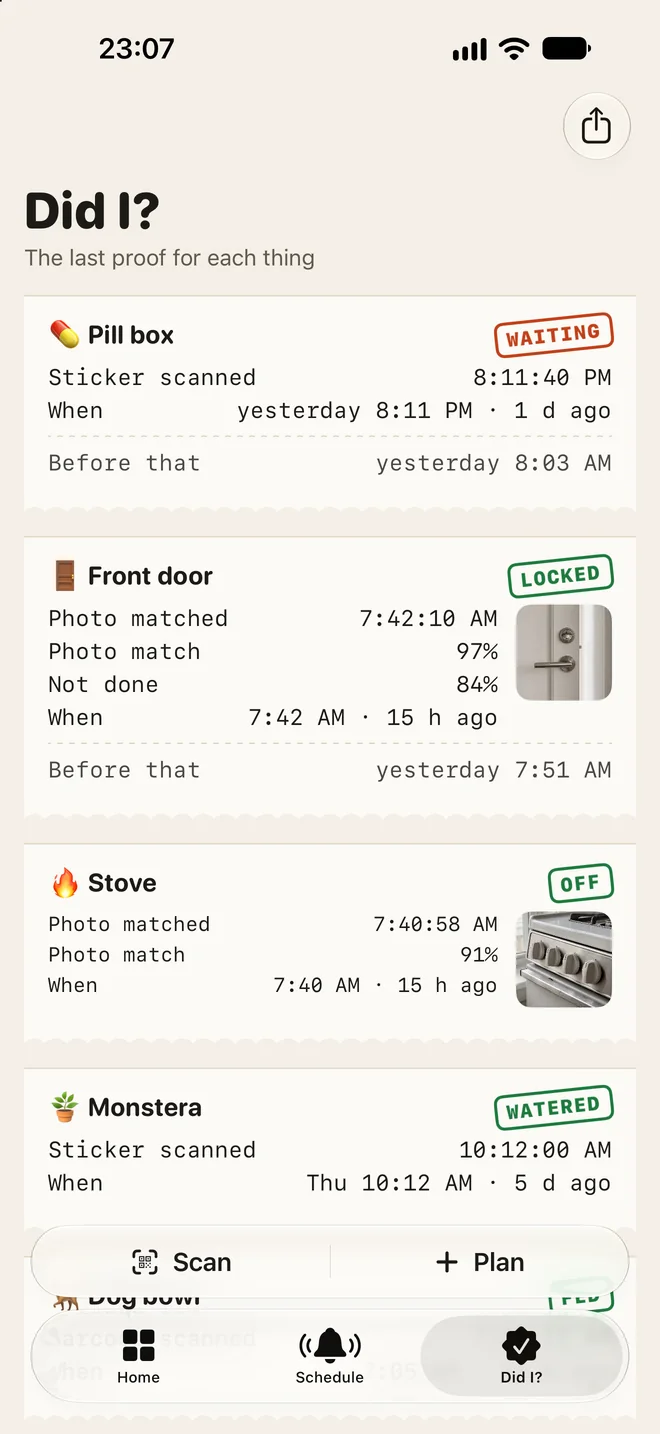
Calm checking
Sometimes checking turns into a loop. Look at the same receipt again soon after and Stickler gives you a calm line saying it's already proven, instead of more to inspect.
Everything stays on your phone.
No account, no server, no tracking and no ads. Camera photos and receipts are stored only on your iPhone. The only network traffic is Apple's own App Store purchase.
Price
First week
Unlimited
Try it with every thing you like.
Free forever
3 things
and 5 scheduled proofs.
Stickler Pro
$14.99
A one-time purchase. Unlimited, no subscription.